
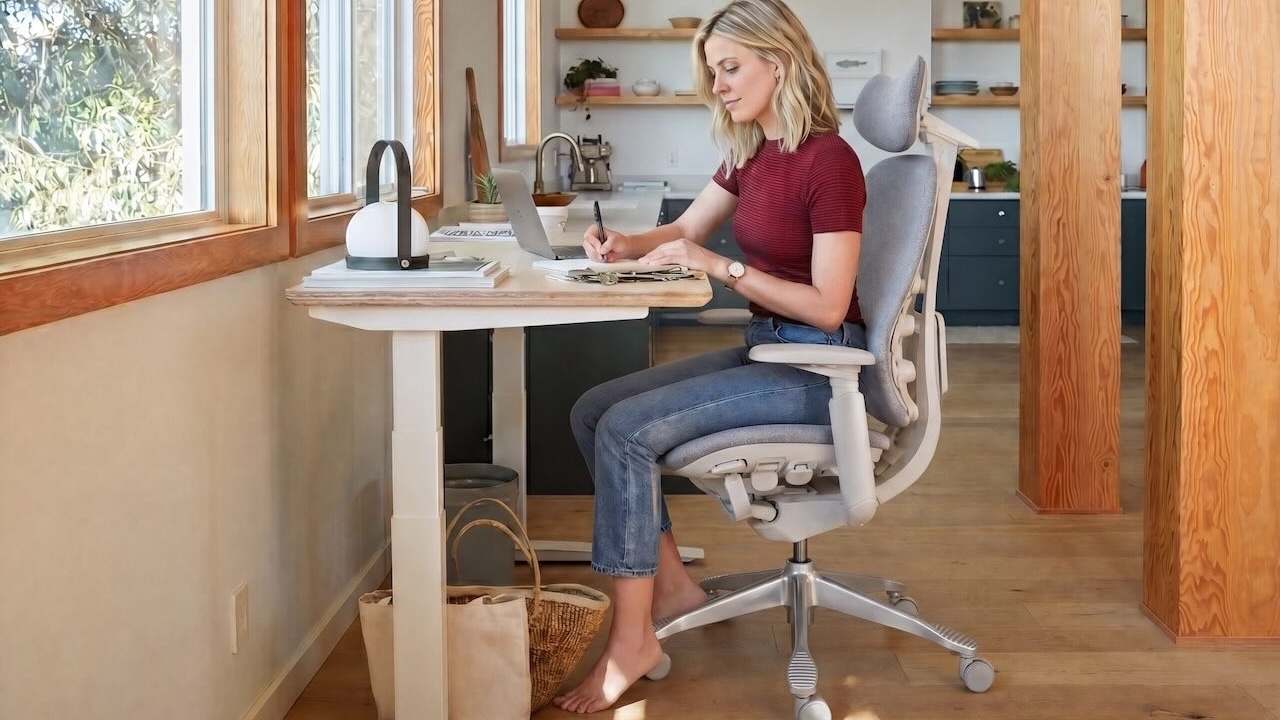
In 2026, a "normal" workday can feel like a long sprint that never ends: back-to-back calls, constant notifications, and hours in the same chair while your brain stays in high-alert mode. I've had days where I felt productive on paper—but by 3 p.m., my neck burned, my lower back tightened, and my attention turned fuzzy.
This guide is built for that reality. You'll learn simple daily moves, ergonomic fixes, and tested routines that make a real difference without asking you to overhaul your life.
Use it like a menu: pick a rhythm, then stack one habit per week. Small changes compound faster than motivation.
Quick Cheat Sheet for Work Health for Desk Work
As always, I've prepared a quick cheat sheet for you. Copy or screenshot the table below to find easy, no-fuss relief from your workspace discomforts.
Office Wellness: Ergonomics and Workspace Exercise
| If you feel… | Likely cause at your desk | 60-second fix you can do now | Upgrade to try this week |
|---|---|---|---|
| Neck burning / "tech neck" | Monitor slightly too low; head drifting forward | Slow chin tucks + raise your gaze to the top third of the screen | Lift monitor so the top is at/just below eye level per Mayo Clinic's office ergonomics guide |
| Low-back fatigue | Slumped pelvis; lumbar support not matching your curve | Sit tall, exhale, then gently "zip up" your lower ribs and rest your back into support | Tune chair depth/tilt and add lumbar support so your spine is supported while you focus |
| Heavy legs | Sitting too long; calves not pumping | 20 calf raises + 10 ankle circles each direction | Build "movement anchors" (stand for calls; walk to refill water) |
| Wrist/forearm irritation | Contact stress on hard desk edge; wrists bent | Move keyboard closer; "float" hands; pad desk edge | Set elbows ~90–110° and keep wrists neutral (see Mayo Clinic's office ergonomics guide) |
| Afternoon crash | Shallow breathing + screen fatigue + no breaks | 6 slow nasal breaths + 20-20-20 eye reset | Schedule microbreak prompts using Stanford EH&S microbreak recommendations |
| Hip pressure / numbness | Unfit seat cushion, especially for women | Stand up every 20 minutes to release pressure | Switch to an ergonomic chair designed for women's anatomy and proportions |
We also have a table of tips to help you set up your workspace ergonomically, so you can prevent discomfort at work and maintain good office health.
Workspace Setup Tips
| Setup item | Target | Fast test | Common mistake |
|---|---|---|---|
| Monitor height | Top of screen at or just below eye level | Can you read the top line without lifting your chin or dropping your head? | Laptop on desk → constant neck flexion |
| Screen distance | About an arm's length away | You can read without leaning forward | Screen too far → head drift; too close → eye strain |
| Elbows | ~90–100° (slightly open) | Shoulders relaxed; elbows under shoulders | Desk too high → shrugged shoulders |
| Feet | Flat on floor or footrest | No dangling feet; hips feel level | Crossing legs to "find" stability |
| Desk edge contact | Minimize pressure | Forearms feel supported without sharp pressure | Hard edge digging into forearms (contact stress) |
| Lighting | Reduce glare; soften contrast | No bright reflections on screen | Bright window behind monitor |
Note: The tables are based on sources from Mayo Clinic and the Centers for Disease Control (CDC). Always consult a doctor if your body fails to recover despite exercises, stretches, or workstation adjustments.
Audit Your Day for Work Health
Most office wellness problems aren't caused by a single "bad" chair or a stressful week. They come from invisible patterns you repeat hundreds of times.
Spot Sedentary Traps
Look for the moments you stop moving without realizing it: a meeting that runs long, a deep-focus block where you don't shift once, or a "quick email" that turns into 45 minutes.
Two common traps:
- Frozen focus: you're productive, but your body is bracing—jaw tight, shoulders up, ribs collapsed.
- Micro-stress stacking: small annoyances (glare, cold air on your neck, reaching for the mouse) quietly drain you.
Quick Wellness Self-Check
This isn't a diagnosis—just a fast way to decide what to fix first. If any item is consistently "yes," it's a strong signal your setup or routine needs a change.
- Eyes: You squint or get headaches after screen time. Try the American Optometric Association 20-20-20 rule and reduce glare using Mayo Clinic's eyestrain self-care tips.
- Neck/shoulders: You feel burning at the base of your neck mid-afternoon. Often linked to monitor height and forward head posture; adjust per Mayo Clinic's office ergonomics guide.
- Hands/forearms: You feel tingling or tenderness where your forearms meet the desk edge. Reduce "contact stress" (hard-edge pressure) as highlighted in Mayo Clinic's office ergonomics guide.
- Back/hips: You feel stiff when you stand up. Build microbreaks using Stanford EH&S microbreak recommendations.
⚠️ Note: If you have persistent numbness/tingling, weakness, radiating pain, or symptoms that worsen at night, consider checking in with a licensed clinician.
Choose Your Starting Focus
Pick one starting point—your biggest daily "tax."
- If pain is the loudest signal: start with ergonomics + microbreaks.
- If fatigue and brain fog dominate: start with breathing + visual comfort + rest boundaries.
- If legs feel heavy: start with circulation and foot placement.
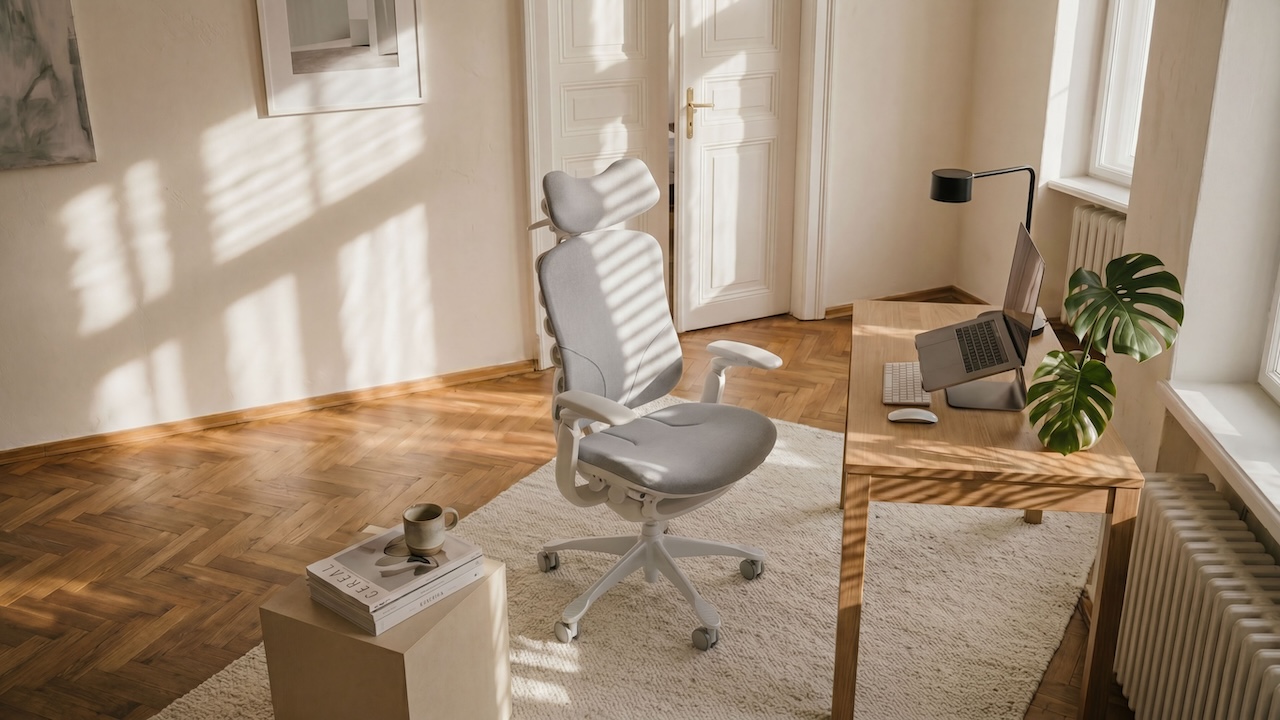
Ergonomics and Microbreaks for Office Wellness
Ergonomics isn't about finding a "perfect posture." It's about creating a workspace that makes good positions easy—and bad positions hard to hold.
Microbreaks are the other half of the system: short interruptions that keep tissues from stiffening and your attention from drifting. Many ergonomics programs recommend frequent brief breaks; one practical starting point is a 30–60-second microbreak every 20–40 minutes, plus getting up at least every 30–60 minutes when possible, as summarized in workplace guidance like Stanford EH&S microbreak recommendations.
1. Conquering Chronic Back and Neck Pain
Back and neck pain at a desk usually comes down to two forces: gravity and time. If your spine is unsupported (or your head is drifting forward), you end up "paying" for that position by the afternoon.
The Adaptive Lumbar Support Deep-Dive: A supportive chair doesn't just fill space. The best setups make it easier to keep your pelvis neutral and your spine stacked while you're in focus mode. Think of dynamic frames and "engaged" lumbar systems as gentle scaffolding: they help keep your low back from collapsing when your attention narrows.
A quick test: sit tall, exhale fully, and feel your ribcage drop. If your low back immediately rounds and you can't comfortably rest into the backrest, your lumbar support is either too low, too high, or not shaped for you.
Identifying "Tech Neck" and re-aligning your gaze: "Tech neck" is what happens when your head slowly migrates forward and down. It doesn't take much. Even small errors in monitor height can trigger a subtle head drift that turns into mid-afternoon neck burning.
Use a simple target: the top of your monitor should be at or just below eye level, with the screen about an arm's length away, per Mayo Clinic's office ergonomics guide. If you're on a laptop, a stand + external keyboard/mouse is often the cleanest fix.
Topical relief for workplace tension: If you already have muscle knots, think in layers:
- Heat can relax tight tissues and make stretching feel less "sharp."
- Massage (with hands, a ball, or a professional) can help relieve trigger points.
- Non-greasy pain gels may provide temporary symptom relief so you can do the real work: better setup, more movement, and less bracing.
???? Pro Tip: Don't stretch a "hot spot" aggressively. First reset posture and breathe, then move gently. If pain is intense or persistent, get it checked.
2. Movement as Medicine: Beyond the Standing Desk
Standing desks help some people—but "standing still all day" is not the goal.
5-minute "feel human again" reset rituals: Try one sequence between meetings:
- 5 slow neck rotations (pain-free range)
- 10 shoulder rolls (backward)
- Seated twist: 3 breaths each side
- Stand up and do 10 calf raises
This is boring on purpose. Boring is repeatable.
The problem with frozen postures: Standing with locked knees is the standing version of slumping: it's still static load. The healthier move is to alternate sitting, standing, perching, and walking—ideally at least once per hour.
Build your internal support system: Your chair is external support. Your core, glutes, and upper back are internal support. Yoga and strength training can build the postural muscles that make long sessions feel less punishing. Keep it simple: two short strength sessions per week may be enough to change how your body responds to sitting at a desk.
3. Respiratory Health: Breathing for Focus and Energy
Breathing is a posture issue. When you slump, your ribcage can't expand well.
The link between slouching and lung capacity: Rounded shoulders and a collapsed chest ("shrimping") reduce rib movement. Less rib movement often means shallower breaths, which can feed the afternoon fog.
Spinal flexibility and deep breathing: Try seated cat-cow for 6 slow reps:
- Inhale: gently lift your chest and tilt your pelvis forward
- Exhale: round slightly and let your ribs soften down
This restores motion through the spine and makes deep breathing feel more available.
Combat afternoon fatigue with posture: Good alignment isn't about looking "perfect." It's about keeping respiratory muscles from checking out. When your head is stacked and your ribs aren't collapsed, breathing tends to feel easier, and focus tends to last longer.
4. Circulation and Lower Body Wellness
If your legs feel heavy by the end of the day, it's often because your lower body hasn't been asked to help.
Banishing heavy legs and blood pooling: Your calf muscles help push blood back up toward the heart. When you don't move them, blood can pool in the lower legs. The fix is simple: small, frequent leg activity.
The foundation: solid foot placement: Feet are your base. If they're dangling, you'll compensate—by sliding forward, crossing legs, or tilting hips.
Aim for feet flat on the floor (or on a footrest) as part of core office ergonomics guidance, such as Mayo Clinic's office ergonomics guide. This stabilizes your pelvis and makes your spine easier to stack.
Subtle activity for weight management: No single fidget "burns fat." But consistent micro-movements can improve your daily activity baseline: stand for phone calls, walk while reviewing notes, do calf raises while waiting for files to load. The win is consistency, not intensity.
5. Peripheral Nerve Health and Contact Stress
Nerves don't like pressure, stretch, or being pinned in one position for hours.
Preventing ulnar nerve compression: Resting your forearms or inner elbows on a hard desk edge creates "contact stress." Mayo Clinic explicitly calls out padding hard edges and keeping wrists straight as part of its office ergonomics basics.
Two practical fixes:
- Pad the edge (a towel works in a pinch).
- Pull the keyboard closer so you're not reaching and "hanging" on the desk.
Desk-mounted vs. chair armrests: High-quality adjustable chair armrests (3D/4D) are usually the cleanest solution because they move with your body's pivots and keep elbows supported under shoulders. Desk-mounted supports can offer "instant relief" for shoulders when you can't find or afford a truly adjustable chair, but they may also encourage reaching or leaning forward if they're not aligned to your natural posture.
Optimal arm geometry: Set your workstation so elbows stay around 90–100 degrees, shoulders relaxed, wrists neutral. If the desk is too high, raise your chair and use a footrest, rather than shrugging your shoulders.
Mental Fitness and Benefits for Work Health
Office wellness isn't only muscles and joints. Your brain is part of the system, and it deserves the same care you give the rest of you. Keep the basics in rotation, and the benefits can reach beyond how your body feels at the desk.
When your environment is visually noisy, your day is fragmented, and you never fully rest, your nervous system stays in "evaluation mode." That's when small physical discomforts become bigger—and focus gets expensive.
1. Boosting Your Mental Edge: Focus and Cognitive Flow
Reduce visual noise and cognitive residue: Every object in your peripheral vision is a tiny decision. Not always conscious—still real.
Try one low-effort reset:
- Clear the surface in front of your keyboard.
- Put nonessential items in a box or drawer.
- Leave only what supports the next 90 minutes.
This reduces "cognitive residue" (the leftover attention stuck on other tasks) and makes it easier to enter deep work.
Strategic lighting and eye health: Your eyes hate harsh contrast: bright window + dark screen, or overhead glare on glossy displays. Use the basics from Mayo Clinic's eyestrain self-care tips: reduce glare, adjust brightness/contrast to comfort, and position your monitor to avoid reflections.
Then add the simplest habit: American Optometric Association 20-20-20 rule.
Rest periods for peak productivity: Mental fatigue often shows up before pain. If you notice rereading sentences, clenched jaw, or "tab hopping," that's a cue to step away for 60–120 seconds. Microbreaks aren't lost time—they're a way to keep your attention from degrading.
2. Stress Resets that Work
Keep this tiny and specific:
- Exhale longer than you inhale for 5 breaths.
- Drop your shoulders on every exhale.
- Unclench your tongue from the roof of your mouth.
If you do nothing else, do that. It's a nervous system downshift you can repeat all day. Personally, I will sit cross-legged on my chair (with the armrests adjusted to a low position). This posture feels like meditation and helps me cleanse my mind.
3. Use Your EAP and Apps
If your workplace has an EAP (Employee Assistance Program), treat it like maintenance—not a last resort. EAPs often include short-term counseling, coaching, and referrals.
Apps can help too, but keep it simple: one reminder for microbreaks, one tool for a short breathing reset, and that's enough.
4. Sleep and Financial Well-Being
Sleep is the multiplier. Without it, your pain threshold drops and your focus narrows faster.
If money stress is part of the sleep problem, name it. Use employer benefits (EAP, financial counseling, healthcare navigation) before the stress becomes your default. Office wellness isn't only what you do at your desk—it's what your nervous system can recover from overnight.
Ergonomic Workspace Setup for Work Health
Your ergonomic workspace isn't just an item. It's a system: chair, screen, desk height, input devices, and the environment that makes you tense or calm.
1. Managing Environmental Comfort: Sweat and Heat
Breathable mesh vs. foam seating: If you work in a warm room or humid climate, breathable mesh can be a survival tool. Heat buildup doesn't just feel annoying—it makes you shift constantly, which breaks focus.
The distraction of body heat: When you're "fighting the chair," you're not fully in your work. If you notice constant repositioning, consider airflow first: fan direction, room temperature, and seating materials.
2. Holistic Ergonomics: The Workspace as a System
The peripheral reach problem: A subtle trick: center your body on the keys you actually use, not the keyboard's plastic frame. Many people align themselves to the keyboard edges and end up reaching for the mouse all day.
A practical anchor is the home row: treat your "G and H" keys as the centerline of your body. Keep your mouse close so your shoulder doesn't live in a small, repetitive reach.
Optimizing input devices: A moderate, controllable mouse DPI helps many people use bigger, sturdier muscles (forearm/shoulder) while keeping wrists neutral. But if moving your arm hurts, a higher DPI setting—or a trackball—can reduce full-arm strain by letting you navigate with smaller finger movements.
Choosing quality over hype: When evaluating a chair or setup, durability and adjustability matter more than buzzwords.
One sizing check that's easy to remember: seat depth should allow roughly a three-finger gap between the front edge of the seat and the back of your knees. This helps reduce pressure behind the knees and supports circulation.
Hybrid Routines and Boundaries for Work Wellness
Hybrid work isn't automatically healthier. It just changes where the stress lives.
1. Commute vs Home Day Plans
On commute days, plan for stiffness: walk 5–10 minutes before you sit.
On home days, plan for isolation: schedule one outdoor break (sunlight + steps) as a "hard stop" to break up endless sitting.
2. Right-to-Disconnect Norms
If your workplace supports right-to-disconnect norms, use them. If it doesn't, create a personal version: a daily shutdown note, a consistent last-check time, and notifications that go quiet.
3. Meeting-Free Focus Blocks
Meetings can erase movement. If you can influence your calendar, protect one meeting-free block per day. It's not just about output—it's the time you can actually stand, stretch, and reset without performing productivity for someone else.
How to Advocate for Your Wellness: The Manager/HR Playbook
Personal habits help. Policies make them sustainable.
1. Policy Levers That Work
- Default 5-minute buffers between meetings
- Microbreak norms (not just "allowed," but modeled)
- Ergonomic evaluations and basic equipment budgets
The CDC notes that an effective ergonomics approach is a program—not a one-off purchase—in CDC/NIOSH Elements of Ergonomics Programs.
2. Measure with NIOSH WellBQ
If you want to improve something, measure it.
The NIOSH Worker Well-Being Questionnaire (WellBQ) is a free tool designed to assess worker well-being across multiple domains. It can help teams identify where support is needed and track whether changes are working.
3. Model and Iterate
A policy that exists only on paper doesn't help. The real shift is leaders taking breaks without apology—and employees not being punished for following suit.
Office Wellness Tips for Managers and HR
| Manager/HR move | What it changes | How to implement next week |
|---|---|---|
| Add 5-minute buffers between meetings | Reduces frozen postures and cognitive overload | Make 25/55-minute meetings the default |
| Offer ergonomic self-checks | Gives employees a shared baseline | Share one-page setup guide; invite opt-in evaluations |
| Normalize microbreaks | Makes movement socially safe | Start meetings with 20 seconds of posture reset |
| Support lighting and glare control | Reduces eye strain | Provide task lights or monitor light bars for frequent screen workers |
| Measure well-being | Creates accountability | Pilot the NIOSH Worker Well-Being Questionnaire (WellBQ) with a small team |
Conclusion
Start small this week: choose one rhythm, one reset, and one boundary.
- One rhythm: a 30–60 second microbreak every 20–40 minutes.
- One reset: shoulders down, long exhale, feet flat.
- One boundary: a real end-of-day shutdown.
Then scale up: use employer benefits, team norms, and simple measurement to reinforce the change.
If this guide helped, bookmark it and share it with one coworker—you'll both benefit from a workday that feels more human.