

A long workday can leave you with a sore back, tense shoulders, or tired legs. You may blame your posture or assume you need to exercise more. But your office chair could be part of the problem.
A chair that looks comfortable may not fit your body. Its seat may be too deep, its armrests may sit too high, or its headrest may press against the wrong spot. These small mismatches can make long work sessions less comfortable.
The problem can be more pronounced for women, as many office chairs are not designed for women. Additionally, women do not all have the same body shape or seating needs.
That said, chair dimensions and adjustment options can still make a real difference when you are searching for an office chair for women.
Let's uncover six common office chair problems and the practical checks that may help.
Why Can the Wrong Office Chair Haunt Your Health?
A chair that does not fit your body can make a comfortable working position harder to maintain.
The key is not simply finding a chair labeled ergonomic. You need to check how its seat, backrest, armrests, and headrest fit you. Your desk height, screen position, and work habits matter too.
The OSHA computer workstation guide recommends adjusting workstation components to support a comfortable working position. It also explains why the chair should work with the rest of your setup.
Think of chair fit as a series of checks. Can your feet rest firmly? Can you sit back without pressure behind your knees? Can you relax your shoulders while typing? Can you recline without your head losing support?
If several answers are no, your chair or workstation may need adjustment.
1. Is Your Office Chair for Women Failing Your Lower Back?
Lower back fatigue can have several causes, including a poor chair fit and a workstation that encourages awkward sitting positions.
Your lower back needs support that works with your body. If the backrest misses your lumbar area, you may find yourself leaning forward or repeatedly shifting to get comfortable.
Seat depth matters too. A seat that is too deep may make it hard to sit back while keeping your feet supported. A seat that is too short may leave part of your thighs without enough support.
What should you check first?
Start with these simple checks:
Sit back against the backrest.
Keep your feet supported by the floor or a footrest.
Check that the seat edge does not press uncomfortably behind your knees.
Adjust the lumbar support until it feels comfortable against your lower back.
Change your position regularly instead of holding one pose all day.
Seat depth is especially useful to check before blaming the cushion. A chair with a suitable depth range gives you more room to find a comfortable position.
For example, ARBREST COVE has a listed seat depth adjustment range of 43 to 49 cm. Its motorized lumbar support can also be adjusted with one touch. These features provide more ways to position the seat and back support, although the best setting still depends on the individual.
An ergonomic office chair for women should offer adjustments that help you find a suitable fit. It should not force you to adapt your body to a fixed shape.
2. Can an Ergonomic Office Chair for Women Help Reduce Neck Strain?
A well positioned headrest may improve comfort when reclining, but its shape and adjustment range matter as much as its presence.
A headrest that sits too far away may provide little support. One that pushes against the wrong area may feel distracting. A backrest that does not suit your torso can also make it harder to find a relaxed position.
Your screen matters as well. If you often tilt your head down to view a laptop, changing the chair alone may not solve the problem.
How should a headrest fit?
Check whether you can adjust the headrest to meet your head comfortably. Test it while sitting upright and while leaning back. Your head should not need to reach backward to find the support.
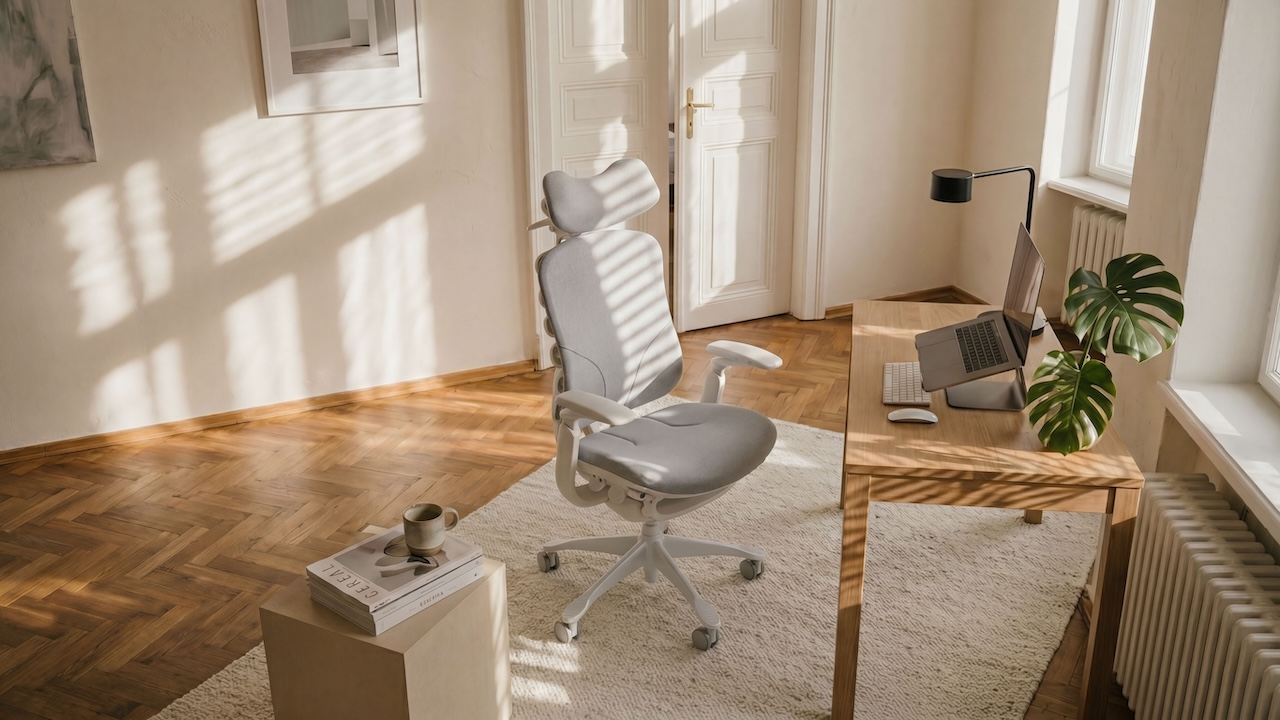
ARBREST COVE has a 3D adjustable headrest with:
8 cm of height adjustment
Up to 35° of tilt
5 cm of forward and backward adjustment
These measurements make its adjustment range more specific than a general claim that the headrest is adjustable.
COVE's design also considers hair clearance. This may matter if you wear a bun, ponytail, or claw clip while working. A headrest should not force you to choose between a comfortable reclining position and your usual hairstyle.
Still, measurements cannot guarantee a good fit. Try the headrest in the positions you use most often. Also check your screen height and viewing distance. The OSHA monitor guidance explains how screen placement can affect your working position.
3. Is Your Office Chair for Women Putting Pressure on Your Tailbone?
Pressure around your tailbone may relate to the seat, your sitting position, or other causes. A chair adjustment may help, but persistent pain deserves proper attention.
A seat can feel soft at first and still become uncomfortable during a long workday. Cushion shape, seat depth, and how your weight rests on the seat can all affect your experience.
A seat that feels too firm may create pressure in certain areas. A seat that is too soft may also feel unstable if you sink into it.
What should you look for in a seat cushion?
Start by checking whether your weight feels evenly supported. Your feet should remain stable, and the seat should not force you to slide forward. Try a few different sitting positions and take regular movement breaks.
COVE uses a high density molded foam cushion. Its design specification describes support around the sit bones, pelvic cradling, and room for thigh movement.
These are design intentions, not proof that the cushion will relieve tailbone pain. People differ in their comfort needs, and a product description cannot predict how a seat will feel for every user.
If pain persists, worsens, or affects daily activity, seek advice from a qualified healthcare professional instead of relying on a new chair alone.

4. Why Does Your Ergonomic Office Chair for Women Leave Your Shoulders Tense?
Armrests that are too high, too low, or too far away may make relaxed shoulder positioning harder.
When armrests sit too high, you may raise your shoulders. When they sit too low, you may lean to one side or reach down. If they are too far apart, your arms may spread outward instead of resting close to your body.
These problems are easy to overlook. Many people adjust the seat height but leave the armrests in their original position.
How should armrests fit?
Sit at your desk with your shoulders relaxed. Keep your elbows near your body and check whether the armrests support your forearms without pushing your shoulders upward.
ARBREST COVE uses 5D armrests with several adjustment options:
Height adjustment across a 6.5 cm range
Forward and backward movement across 5 cm
Inward or outward width adjustment of 1 cm on each side
Inward swivel up to 15° and outward swivel up to 75°
A 360° rotating arm pivot
This range gives users more ways to position the armrests around their body and desk. It may be useful if fixed armrests do not line up with your natural working position.
However, more adjustment does not automatically mean a better fit. Test the armrests while typing, using a mouse, and relaxing between tasks. Your arms should feel supported without forcing your shoulders into an awkward position.
For more guidance, see OSHA's chair recommendations.
5. Can an Office Chair for Women Make Your Legs Feel Heavy?
Seat height, seat depth, and limited movement can affect comfort during long sitting periods. Heavy legs can also have causes unrelated to your chair.
If your feet do not rest securely, you may feel pressure under your thighs or find yourself shifting to stay comfortable. A seat that presses behind your knees may also feel uncomfortable.
Start with the basic adjustments. Keep your feet supported. Check the seat edge against the backs of your thighs. Stand up, walk, and change position throughout the day.
Can a chair support more than one sitting position?
Yes. Some chairs let you shift between upright work, forward leaning, and reclining. That flexibility can make it easier to change position rather than remain still for long periods.
ARBREST COVE is designed for both forward leaning and reclining. Its listed recline positions are 105°, 120°, and 135°. Its forward tilt mechanism is designed to work with a dual tier active footrest.
COVE also describes synchronized movement across five components: the headrest, armrests, backrest, seat cushion, and footrest. The idea is to keep these contact areas working together as the chair changes position.
These features offer more ways to move between work and rest. They should not be described as a treatment for poor circulation or heavy legs. If leg swelling, pain, or other symptoms are persistent or unusual, seek medical advice.
6. Is Your Ergonomic Office Chair for Women Ignoring Your Wrists and Forearms?
Wrist and forearm discomfort may come from how your keyboard, mouse, desk, and chair work together.
A chair cannot fix every problem in your workstation. If your desk is too high, you may raise your shoulders or bend your wrists to reach your keyboard. If your mouse sits too far away, you may stretch your arm throughout the day.
How can you make your workstation more comfortable?
Keep your keyboard and mouse close enough to reach without stretching. Aim to keep your wrists in a comfortable, neutral position. Adjust your chair and desk so your shoulders can relax while you work.
Armrest adjustment may help support your forearms, but the supports should not push your wrists upward or prevent you from getting close enough to the desk.
COVE's armrests can move in height, depth, and width, and they can swivel to different angles. This may help users find a support position that suits their desk setup. The best setting will depend on your body, keyboard, mouse, and working habits.
Use the OSHA keyboard guidance to review your setup. If discomfort continues or gets worse, consider getting professional advice rather than assuming that a chair change will solve it.
What Should You Look for in an Office Chair for Women Before Buying One?
A useful chair should fit your body and work with your desk. A long feature list is less important than whether the adjustments help you sit comfortably.
Before buying, check these five areas.
1. Seat height and depth
Your feet should have stable support. The seat should let you sit back without pressing uncomfortably behind your knees. Check the actual adjustment range rather than relying on broad claims about body fit.
2. Lumbar support
The backrest should meet your lower back in a comfortable position. Look for adjustments that let you fine tune the support instead of forcing you into one fixed shape.
3. Armrest range
Check whether the armrests can move to suit your shoulder width and desk height. Height adjustment alone may not be enough if the supports are too far apart or too far forward.
4. Headrest fit
If you often recline, check the headrest's height, depth, and angle. Make sure it supports you without pushing your head into an uncomfortable position.
5. Movement and reclining
Think about how you work throughout the day. Do you lean toward a screen, sit upright for typing, or recline during breaks? Look for a chair that supports the positions you actually use.
The best ergonomic office chair for women is not necessarily the one with the most features. It is the one whose dimensions and adjustments work for your body and routine.
How Can You Choose an Ergonomic Office Chair for Women Without Guessing?
Use a short fit check before making a decision.
Check your feet. Can they rest firmly on the floor or a suitable footrest?
Check your seat. Can you sit back without pressure behind your knees?
Check your back. Does the lumbar area meet the backrest comfortably?
Check your arms. Can your shoulders relax while your forearms are supported?
Check your head. Can you recline without reaching for the headrest?
Check your desk. Can you use your keyboard and mouse without stretching?
Check movement. Can you change positions and stand up easily during the day?
If possible, test the chair at a desk similar to yours. Spend time in your normal working positions instead of judging it from a quick showroom sit. A chair may feel pleasant for a few minutes but still need careful adjustment for daily use.
Could ARBREST COVE Help Make Your Workday More Comfortable?
When I tested COVE at IFA 2026, three details stood out to me: its compact design, the comfort I felt when reclining, and how its armrests fit my smaller frame. Those were my impressions from trying the chair, not proof that it will fit everyone.
The published product details give shoppers more ways to assess that fit. COVE has a listed seat height range of 46 to 54 cm and a seat depth range of 43 to 49 cm. Its headrest adjusts in height, tilt, and depth. Its 5D armrests offer several ways to change their position, which may be useful for people whose desks or body proportions make fixed armrests awkward.
The backrest has 12 independent support units. COVE also features motorized lumbar adjustment and coordinated movement across the headrest, armrests, backrest, seat cushion, and footrest. Its design covers forward leaning work as well as several reclining positions.
These are concrete design choices, but specifications alone cannot tell you whether a chair will feel right. Check the dimensions against your current chair and desk. If possible, try the adjustments in your usual working posture before deciding.
COVE is worth considering if you want an office chair designed around women's fit needs and a wider range of sitting positions. It is not a guaranteed solution for back, neck, or leg pain. The right choice still depends on your body, your workstation, and how the chair feels during use.
When Should You Seek Help for Back or Neck Pain?
A chair adjustment may improve comfort, but it cannot diagnose the cause of pain.
If your pain persists, gets worse, or affects daily activities, speak with a qualified healthcare professional. Seek urgent medical care if back pain comes with new bladder or bowel problems, loss of feeling around the genitals or anus, or new weakness or numbness in both legs.
You can find general information in these trusted resources:
Use ergonomic advice as a guide to your workstation, not as a substitute for medical assessment.
Conclusion: Stop Letting Poor Chair Fit Haunt Your Workday
Back fatigue, neck discomfort, shoulder tension, and leg discomfort can have many causes. Your chair and desk setup are useful places to start checking, but they are not the only factors.
Focus on fit rather than labels. Check seat depth, lumbar support, armrest position, headrest adjustment, and your ability to change positions. Small adjustments may help you build a more comfortable workspace.
If you are shopping for an office chair for women, look beyond appearance and broad ergonomic claims. Compare the actual dimensions and adjustment ranges, then test how the chair feels in your daily routine.
A better fit will not guarantee a pain free workday. But it can help you make a more informed choice about the chair you use every day.
Sources and Further Reading
Editorial note: This article provides general ergonomic information, not medical advice. The ARBREST COVE section includes a firsthand product observation and published product specifications. Confirm all specifications against the final approved product documentation before publication.